运动图形SaaS入门套件的提示
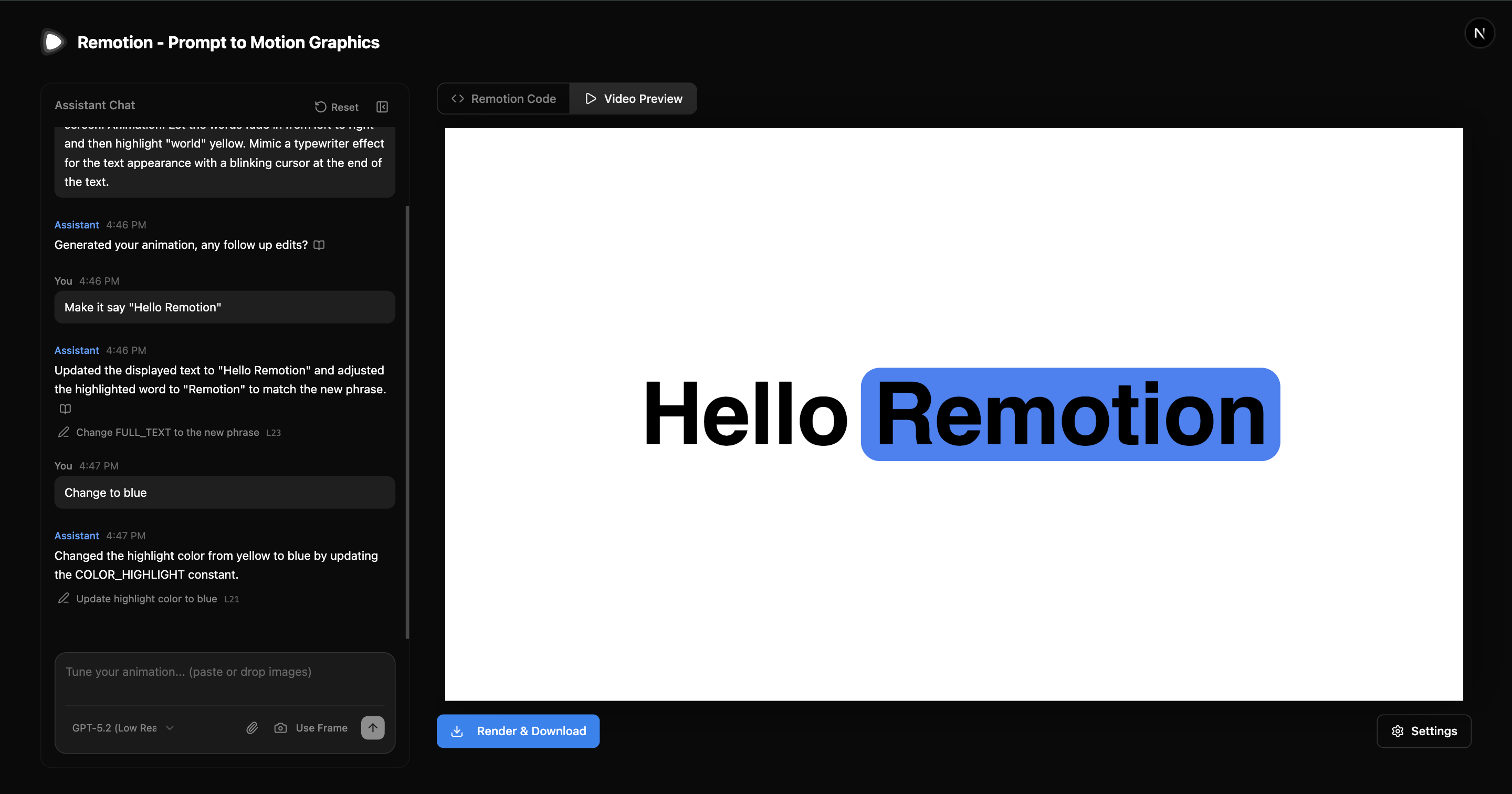
我们制作了一个 Next.js 入门模板 用于构建 AI 驱动的动态图形产品。 用户可以用自然语言描述动画,应用会实时生成并预览动画。
🌐 We made a Next.js starter template for building AI-powered motion graphics products.
Users describe an animation in natural language, and the app generates and previews it in real-time.
入门
🌐 Getting Started
搭建一个新项目:
🌐 Scaffold a new project:
npx create-video@latest --template prompt-to-motion-graphics然后创建一个 .env 文件:
🌐 Then create a .env file:
.envOPENAI_API_KEY=sk-...
启动开发服务器:
🌐 Start the development server:
npm run dev访问 http://localhost:3000 开始生成动画。
🌐 Visit http://localhost:3000 to start generating animations.
与 Remotion 代理技能的区别
🌐 Difference to Remotion Agent Skills
如果你想用 Remotion 和 AI 构建 SaaS,请使用此模板。
如果你想为自己生成视频,请使用 Agent Skills。
🌐 Use this template if you want to build a SaaS with Remotion and AI.
Use Agent Skills if you want to prompt videos for yourself.
与代理技能工作流不同,此模板无法访问操作系统或文件系统。
🌐 Unlike the Agent Skills workflow, this template does not have access to an operating system or the filesystem.
包含内容
🌐 What's Included
- 带有对话历史记录的聊天界面,用于迭代优化
- 实时预览 - 在 Remotion 播放器中即时渲染
- 智能编辑——大型语言模型决定采用定向编辑还是完全替换
- 输入验证 - 防止终端用户误用
- 清理 - 清除非确定性的大型语言模型输出
- 自我纠正 - 在编译错误时自动重试
🌐 It streams generated code and compiles it in the browser using just-in-time compilation.
图片
🌐 Images
将图片附加到提示中与在提示中提到图片网址之间有一个重要的区别。
🌐 There is an important difference between attaching images to the prompt and mentioning image URLs in the prompt.
- 附加图片:助手将尝试在代码中复制你附加到提示的任何内容,例如一个抽象螺旋。
- 提供图片链接:助手将根据文件 URL 将提供的图片嵌入动画中。例如:"创建这个图片的 DVD 屏幕保护动画 https://example.com/logo.png"
Lambda 渲染
🌐 Lambda Rendering
要启用使用 Remotion Lambda 导出视频:
🌐 To enable video exporting with Remotion Lambda:
- 根据 Lambda 指南 设置 Remotion Lambda
- 将 AWS 凭证添加到
.env
.envOPENAI_API_KEY=sk-... # Add AWS credentials for Lambda rendering REMOTION_AWS_ACCESS_KEY_ID=... REMOTION_AWS_SECRET_ACCESS_KEY=...
- 使用
npm run deploy部署。
另请参阅
🌐 See Also