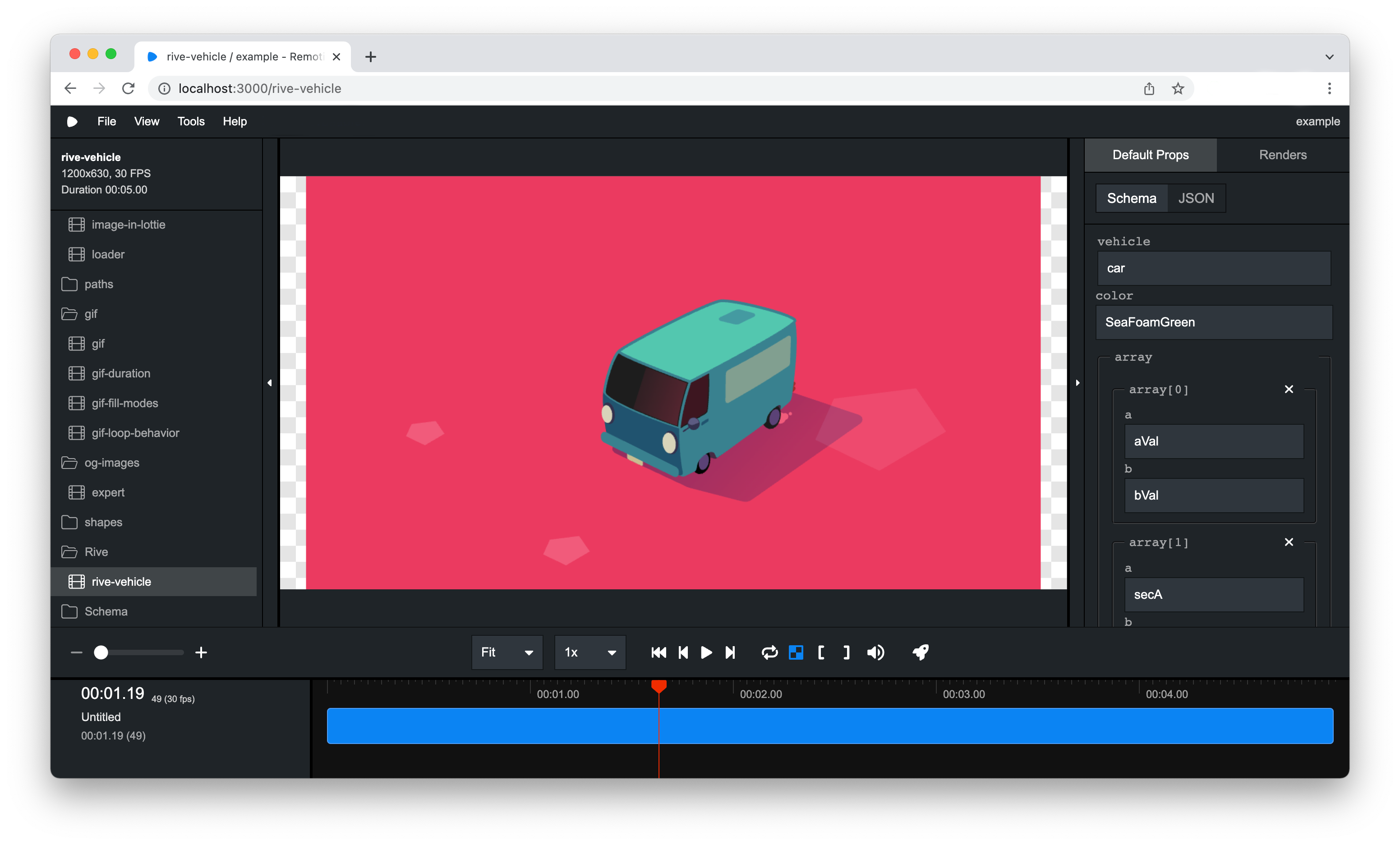
启动工作室
使用 Remotion Studio,你可以预览视频,如果连接了服务器,还可以渲染视频。
🌐 Using the Remotion Studio, you can preview your video, and if a server is connected, even render the video.
先决条件
🌐 Prerequisites
本指南需要使用 Remotion CLI。
大多数模板已自带,但你可以在终端中运行以下命令来安装它:
🌐 The Remotion CLI is required for this guide.
Most templates have it out of the box, but you can install it by running the following command in your terminal:
- npm
- pnpm
- yarn
- bun
npm i @remotion/clipnpm i @remotion/cliyarn add @remotion/clibun i @remotion/cli启动工作室
🌐 Launching the Studio
你可以通过在终端中运行以下命令来启动 Remotion Studio:
🌐 You can start the Remotion Studio by running the following command in your terminal:
- Regular templates
- Next.js and React Router 7 templates
npm startnpm run remotion这是 Remotion CLI 的 studio 命令的一个简写:
🌐 This is a shorthand for the studio command of the Remotion CLI:
npx remotion studio在此查看可用的选项。
🌐 See the available options here.
服务器将会在端口 3000 上启动(如果该端口不可用,则使用更高的端口),并且 Remotion Studio 应该会在浏览器中打开。
🌐 A server will be started on port 3000 (or a higher port if it isn't available) and the Remotion Studio should open in the browser.